Mahjong ZenLand: Senior Match
- 5.0
- Rating
- 100.00K
- Installs
- Free
- Price

 Analysis by App-foxy
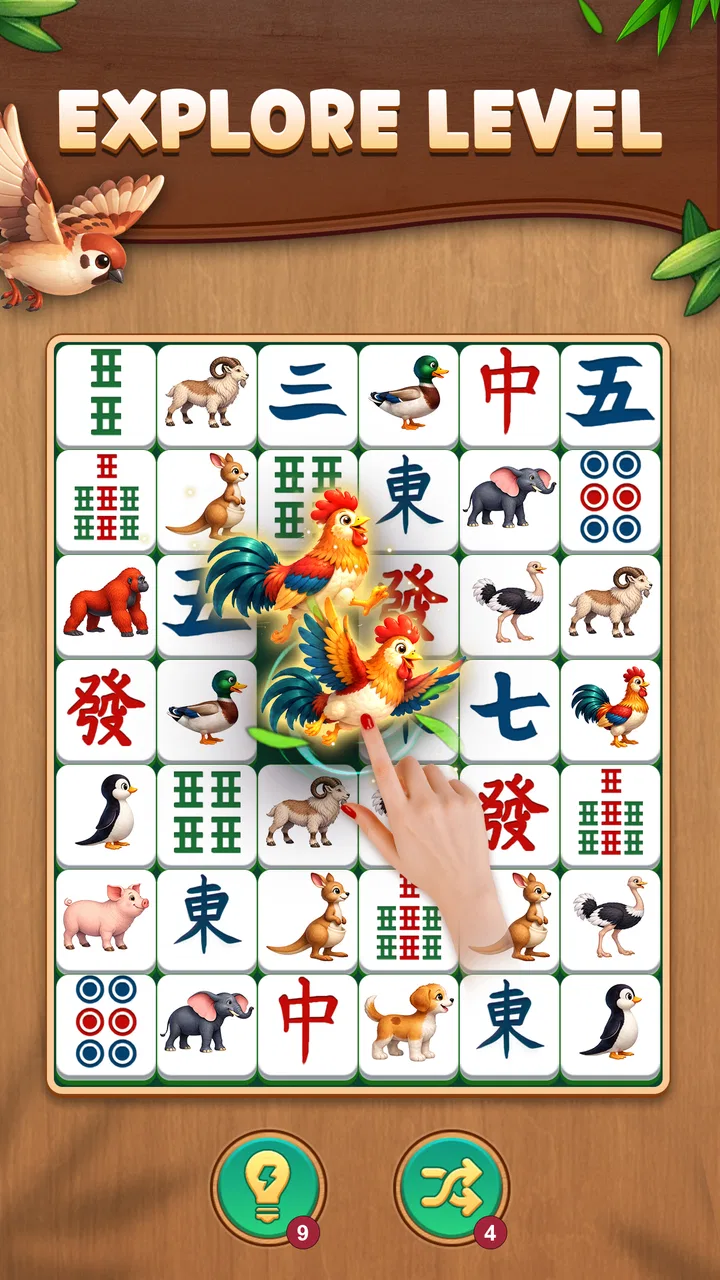
I approached Mahjong ZenLand: Senior Match as a quiet board game rather than a competitive challenge, and that expectation made a big difference. It is designed around mahjong-style tile matching, with large tiles and a gentle presentation that should feel approachable to older players, beginners, and anyone who prefers a slower puzzle session. I found it easy to understand the basic objective, but the real appeal is the relaxed rhythm: you look carefully, make a pair, and gradually clear the board without needing fast reactions.
This is a free board game from LIHUHU PUBLISHING PTE. LTD., rated for Everyone. It has reached over fifty thousand installs and holds a 4.9 average from around two thousand ratings, which suggests that its simple format is connecting with the audience it is aimed at. The game was released on September 15, 2025, and the current version is 2.2.3. It supports Android 7.0 and later, so it should work on many older phones and tablets as well as newer devices.
What to expect when you begin
The first thing I noticed is that this is not trying to turn mahjong matching into an intense arcade experience. The large-tile approach makes the board easier to read, especially on a smaller screen or when playing on a tablet held at a comfortable distance. The visual priority is clear: identify matching tiles, choose a valid pair, and keep working through the layout.
You May Also Like

 Blood Strike: 2.5 Anniversary
Blood Strike’s Loadouts Turn Every Drop Into a Tactical Gamble
A close look at Blood Strike’s custom loadouts: how fast access to signature weapons reshapes its battle royale rhythm, rewards preparation, and narrows the gap between fights.

 Pandora - Music & Podcasts
Pandora’s Music Is Easy to Start, but Harder to Recover
Pandora’s strength is its low-effort path from a seed to a station. Its weak spot is how much confidence it asks you to place in connection, setup, and quiet recovery.

 8 Ball Pool
 Is Built on Rivalries, Rematches, and Routine
A close look at the rivalries, rematches, shared routines, and unanswered safety questions that turn a quick pool match into a persistent mobile community.

 Samsung Music
’s Quiet Strength Is Playing What You Already Own
Its reach comes less from spectacle than from dependable access to a personal library. That simplicity is both the app’s strongest retention engine and its ceiling.

 AccuWeather: Weather Radar
AccuWeather Review: A Quick, Clear Forecast for Everyday Decisions
For everyday plans, the best forecast is the one you can understand quickly. AccuWeather makes rain timing, radar, and local conditions easy to act on, with a few trade-offs.

 Hill Climb Racing
Why Hill Climb Racing Still Turns Crashes Into One More Run
A tiny car, a bumpy hill and one more upgrade: Hill Climb Racing keeps resurfacing because its simple chaos makes every near-miss feel personal.
More From Our News Desk



That makes it a good fit for a short break, a calm evening activity, or a simple game to share with someone who does not enjoy complicated controls. You do not need previous knowledge of traditional mahjong rules to start. This is a matching puzzle, not a full simulation of the four-player tile game, so a newcomer can understand the central action almost immediately.
I would describe the mood as deliberately unhurried. The game suits people who like observation more than speed, and it can be a pleasant alternative to word games or number puzzles when you want something visual. It also feels more accessible than many tile-matching games that use small symbols, crowded boards, or rapid timers.
There is an important trade-off here. Players looking for competitive matches, online opponents, deep strategy, or a story campaign may find the experience too narrow. Its strength is its straightforward puzzle loop, not variety in the way a large strategy game offers variety. I would recommend it to someone who wants a focused matching game, but not to someone expecting a complete digital version of traditional mahjong.
Who will get the most from it
I think the best audience includes first-time puzzle players, older adults who appreciate readable tiles, and experienced casual gamers who want something low-pressure. The Everyone age rating also makes the presentation suitable for a broad audience, although the best choice still depends on the individual player’s comfort with touch controls and visual patterns.
It can also work well as a small routine. For example, I can imagine opening it after lunch, completing a board while waiting for an appointment, or handing a tablet to a family member who wants an activity without a long tutorial. Because the central action is so easy to explain, one person can help another get started without having to learn a complicated control scheme first.
The game is less suitable if you need a strong sense of progression, a social feature set, or a puzzle that constantly changes its rules. A player who enjoys timed pressure may also prefer a more demanding matching title. Here, the appeal comes from the board itself and the satisfaction of gradually reducing the available tiles.
Getting through the first setup comfortably
On a first launch, I recommend taking a moment to adjust how you hold the device before starting to play. Large tiles help, but your viewing angle still matters. On a phone, holding the screen steady with both hands can make tapping more precise. On a tablet, placing it on a flat surface may be more comfortable for longer sessions, particularly for players who do not enjoy gripping a larger device.
Start with the simplest goal: learn how the game shows a matching pair and how it responds when you tap. Do not worry about clearing the entire layout immediately. The first useful lesson is recognizing which tiles are visually identical and noticing whether a tile is available to select. This small pause prevents the most common beginner mistake, which is tapping quickly without checking the surrounding pieces.
I also suggest playing the first board when you are not distracted. The game is easy to start, but matching depends on visual attention. A television playing in the background or a bright reflection on the screen can make similar symbols harder to distinguish. Once the pattern becomes familiar, it is easier to play casually in shorter bursts.
The game is free to install, with in-app purchases ranging from $1.99 to $5.99 per item. That means a new player can try the core experience before deciding whether any optional purchase is worthwhile. My practical advice is to spend time learning the board first rather than making an immediate purchase. The value of this particular game is mainly in whether its pace, tile size, and visual style suit you.
Your first successful match
The first meaningful success is not simply tapping two tiles. It is learning to scan the board in a repeatable way. I begin at one edge, look for an obvious pair, and then check whether both tiles are available rather than buried or blocked by the surrounding arrangement. This is more reliable than jumping randomly between the middle and corners.
When I see a pair, I compare the symbols one more time before tapping. Large tiles make the board friendlier, but similar designs can still be confused when I am moving too quickly. After the pair disappears, I scan the newly exposed area again. This creates a calm cycle: inspect, confirm, match, rescan.
A useful beginner habit is to avoid removing the first pair that catches your eye if another pair appears more difficult to access. In a matching puzzle, the order of your choices can affect how much of the board becomes visible. I treat the more exposed match as a safe move and reserve harder-to-read choices until the layout opens up. This is a small strategic improvement, but it makes the game feel less like guessing.
If you are helping an older relative play, explain the process in those same four steps instead of describing every tile at once. Ask them to find one identical pair, confirm it, and then look at the newly opened space. That keeps the first session reassuring and gives them a clear sense of progress without making the game feel like a test.
Where beginners can become confused
The most likely confusion is assuming that any two tiles with a similar color or shape form a pair. I found it better to compare the main symbol and the surrounding details, not just the general appearance. When the board contains several related designs, a quick second look saves unnecessary taps and keeps the session relaxed.
Another point that can surprise new players is that seeing a matching pair does not always mean it is the best immediate choice. A pair may be visible but less useful than another move that opens a larger section of the board. I would not treat this as a harsh penalty or a reason to restart. Instead, use each board to learn which choices reveal more possibilities.
Touch accuracy can also matter. If a tile is large, it is easier to select, but tapping near the edge may still feel less certain than tapping toward the center. I recommend using the pad of one finger and pausing briefly between selections. This is especially helpful on older phones, where a crowded interface or a less responsive screen can make hurried taps frustrating.
Players may also wonder whether they need to understand traditional mahjong before playing. They do not. The game’s matching format is self-contained, so knowledge of the classic table game is optional. That is a major advantage for casual users, but it also explains why fans of traditional mahjong strategy should not expect the same kind of decision-making here.
Another practical question is whether the game is appropriate for a child or older family member. Its Everyone rating and simple board format make it broadly approachable, but I would still introduce it slowly to anyone who has difficulty distinguishing small visual differences or using touchscreens. The large-tile design helps, yet accessibility is personal; a short trial session is the best way to judge comfort.
How it compares with familiar alternatives
Compared with a traditional mahjong app, Mahjong ZenLand: Senior Match feels much less demanding. Traditional versions may ask you to manage multiple players, understand scoring, or follow a full set of rules. This game removes that learning barrier and focuses on pairing tiles. For someone who wants a peaceful solo puzzle, that is an advantage. For someone wanting authentic table play, a traditional mahjong app would be the better choice.
Compared with fast match-three games, it is more deliberate. Match-three titles often reward quick combinations, cascading effects, and constant visual movement. Here, the useful skill is careful recognition. I prefer this when I want to settle down rather than become more alert, although players who enjoy rapid feedback may find the pace too quiet.
It also differs from word and number puzzle apps. Those alternatives exercise language or calculation, while this one depends more on visual memory and spatial attention. That makes it a useful change of pace for someone who normally plays Sudoku or crosswords. It is not automatically more relaxing for everyone, but the absence of arithmetic or vocabulary requirements makes the entry point especially gentle.
One subtle advantage of the large-tile design is that it changes how the game works in a shared setting. A person sitting beside you can more easily see the board and discuss possible matches. That does not turn it into a multiplayer game, but it can make the experience more suitable for informal guidance than a small, densely packed puzzle would be.
Small habits that make the puzzle easier
My first tip is to scan in layers. I look at the outer edges, then the more exposed interior tiles, and finally the pieces that are partly surrounded. This gives me a mental map of the board and reduces the chance of overlooking a pair that becomes important later.
My second tip is to use the board as a memory exercise. Instead of searching from scratch after every move, I remember one or two symbols that were previously blocked. When a nearby tile disappears, I check whether that remembered symbol is now available. This creates a little more strategy without making the game complicated.
My third tip is to stop after a frustrating sequence rather than tapping faster. A short pause often reveals that I was comparing the wrong visual detail. Since the game is built around calm observation, forcing speed works against its best quality. I get better results when I treat a difficult board as a scanning problem rather than a reflex challenge.
For family use, I would also keep the first session short. A new player can understand the matching action quickly, but visual concentration may become tiring before the game itself feels difficult. Ending after a successful board leaves a clearer impression than continuing until every tap feels like work.
What to expect from the current version
The current version is 2.2.3, and the game is available for devices running Android 7.0 or later. That compatibility is useful for people who keep an older phone or tablet for casual games. Before installing, I would still check that the device has enough free space and that its screen responds reliably to touch, since those practical details affect a tile game more than raw processing power does.
I found the free entry point helpful because it lets the player judge the central experience personally. A high average rating can be encouraging, but it cannot tell me whether the tile size, pace, and visual recognition suit my eyes and playing habits. The most sensible approach is to try a few sessions, see whether the board feels comfortable, and only then consider the optional purchases.
The developer, LIHUHU PUBLISHING PTE. LTD., has positioned the game clearly as an approachable board puzzle. That focus is reflected in the way I would use it: not as my only game, but as a dependable choice for quiet moments. It fills a different role from a competitive title or a large adventure game, and it is strongest when judged on that narrower purpose.
My recommendation after spending time with it
I recommend Mahjong ZenLand: Senior Match to anyone who wants a readable, low-pressure tile-matching game and especially to first-time players who may feel excluded by tiny symbols or complicated rules. The large tiles make the first step less intimidating, while the matching loop gives enough room for careful observation and modest planning.
I would skip it if your priority is online competition, authentic four-player mahjong, elaborate progression, or constant action. Those needs call for a different kind of board game. This title is intentionally simpler, and that simplicity is either its main benefit or its main limitation depending on what you want from a mobile game.
For a first session, install it on a comfortable screen, begin without rushing, identify one clear pair, and rescan the board after every successful move. That path gets you to the satisfying part quickly and avoids the usual beginner frustration. In my experience, the game works best when I let it remain what it is: a gentle visual puzzle for a few focused minutes whenever I want a break from noisier apps.
My final take: this is a friendly choice for calm solo matching, with an especially accessible presentation for older players and beginners. It does not try to cover every kind of mahjong or board-game fan, but within its focused style, it offers an easy starting point and a pleasant reason to return.
FAQs for Mahjong ZenLand: Senior Match
01What is Mahjong ZenLand: Senior Match?
Mahjong ZenLand: Senior Match is a relaxing puzzle game designed for seniors, offering a traditional tile-matching experience with a tranquil, zen-like environment. The game features various levels with increasing difficulty, providing a perfect balance of challenge and relaxation, making it ideal for older adults looking for a gentle mental exercise.
02Is Mahjong ZenLand: Senior Match easy to learn for beginners?
Yes, Mahjong ZenLand: Senior Match is designed to be user-friendly, especially for beginners. The game includes a tutorial mode that guides new players through the basics of tile matching. Additionally, the intuitive interface and simple controls ensure a seamless experience for those new to digital Mahjong games.
03Does Mahjong ZenLand: Senior Match offer customization options?
Absolutely. Mahjong ZenLand: Senior Match allows players to customize their experience with a variety of themes and tile sets. Users can select from different background images and tile designs to create a personalized gaming environment, enhancing the overall enjoyment and comfort for players of all preferences.
04Are there any in-app purchases in Mahjong ZenLand: Senior Match?
Mahjong ZenLand: Senior Match offers a free-to-play model with optional in-app purchases. Players can enjoy the core game without spending money, but additional features, themes, and power-ups can be purchased to enhance gameplay. This allows players to tailor their experience according to their preferences and budget.
05Is an internet connection required to play Mahjong ZenLand: Senior Match?
No, Mahjong ZenLand: Senior Match can be played offline, making it perfect for use in areas with limited internet access. However, an internet connection may be required for accessing certain features like updates or in-app purchases, ensuring that players always have the latest content available.
Pros
- Beautifully designed
- calming graphics.
- Easy-to-learn interface for all ages.
- Offers daily challenges to engage users.
- No intrusive ads during gameplay.
- Rewards system keeps players motivated.
Cons
- Limited levels in the free version.
- Requires constant internet connection.
- Some levels feel repetitive.
- Occasional lag on older devices.
- In-app purchases can be pricey.

Mahjong ZenLand: Senior Match
Gallery